BITSAT Login: Dates, Steps & How to Apply
Every year at Phodu Club, we see students panic on the last day of registration because they lost their credentials or can't access the bitsat login portal. It is a completely avoidable mess. You spend months preparing for physics, chemistry, and math, but a simple technical glitch or a forgotten password can derail your focus right before the exam. We built this guide because we want you focusing on your mock tests and revision strategy, not scrambling to figure out how to submit your application or download your admit card at the eleventh hour.
Quick Answer/TL;DR
- Access the official bitsat login at bitsadmission.com .
- Keep your application number, registered email ID, and password safe.
- Use this portal for registration, slot booking, admit card downloads, and iteration results.
- Never use third-party sites for registration.
What is BITSAT?
The Birla Institute of Technology and Science Admission Test (BITSAT) is an online computer-based exam for admission to undergraduate engineering programs at BITS Pilani, Goa, and Hyderabad campuses. Unlike many other engineering entrance exams that heavily test rote memorization or overly complex multi-concept problems, BITSAT is primarily a test of speed, accuracy, and solid fundamentals.
At Phodu Club, we get this question all the time: "I score well in JEE Mains mocks, will I automatically clear BITSAT?" The answer is no. We worked with a student last year who scored in the 97th percentile in JEE Mains but struggled to cross 220 in BITSAT simply because he wasn't used to the sheer speed required to solve 130 questions in 3 hours. He was getting stuck on difficult questions instead of skipping them.
Actionable Takeaway: Do not treat BITSAT as a backup exam that requires the same strategy as JEE. You need to build a specific BITSAT Exam Pattern strategy. To see exactly where you stand before the real exam, we highly recommend taking the Phodu Club's BITSAT Open . This is India's first free open test that gives you the most realistic BITSAT interface and experience.
BITSAT 2026 Important Dates
According to the official BITS Pilani admission notifications, keeping track of deadlines is crucial. Missing a window usually means you lose your chance for the year. Here are the critical dates you need to mark on your calendar for the 2026 admissions cycle:
| Events | Dates |
| BITSAT Preference Form Edit Window | June 9 to 10, 2026 |
| Iteration-I Announcement | June 20, 2026 |
| Iteration-I fee payment deadline | June 26, 2026 |
| Iteration-II Announcement | July 1, 2026 |
| Deadline for accepting the offer along with payment of fee/advance Fees. | July 8, 2026 |
| Withdrawal window-1 | July 9 to 10, 2026 |
| Iteration-III Announcement (Admit list and Waitlist announcement after Iteration-III.) | July 14, 2026 |
| Deadline for accepting the offer along with payment of fee/advance Fees. | July 18, 2026 |
| Withdrawal window-2 | July 19 to 20, 2026 |
| Iteration-IV Announcement | July 22, 2026 |
| Deadline for accepting the offer along with payment of fee/advance Fees. | July 25, 2026 |
| Reporting of candidates selected for admission in Iterations-I, II, III and IV at their respective campuses. | July 28 to 30, 2026 |
| Admissions-related formalities (document verification, biometric data collection, photo capture for ID cards), followed by interaction with senior faculty members (9:00 AM to 1:00 PM). | July 28 to 30, 2026 |
| Fresh-students Orientation-I (who have reported and completed their Admission formalities on July 30, 2026, at respective Campuses). Detailed information will be provided by the Associate Dean SWD of respective Campus. | July 31, 2026 |
| First Semester begins | August 1, 2026 |
| Registration for all students at the respective Campuses. | August 1, 2026 |
| Iteration-V Announcement | August 1, 2026 |
| Class work begins | August 2, 2026 |
| Deadline for payment of balance fees by candidates selected for admission from the waiting list in Iteration-V. | August 6, 2026 |
| Reporting of candidates selected for admission in Iterations-V at their respective campuses. | August 7, 2026 |
| Iteration-VI Announcement | August 10, 2026 |
| Deadline for payment of balance fees by candidates selected for admission from the waiting list in Iteration-VI. | August 14, 2026 |
| Reporting of candidates selected for admission in Iterations-VI at their respective campuses. | August 17, 2026 |
| Iteration-VII Announcement (if required) | August 18, 2026 |
| Deadline for payment of balance fees by candidates selected for admission from the waiting list in Iteration-VII (if required). | August 21, 2026 |
| Reporting of candidates selected for admission in Iterations-VII (if required) at their respective campuses. | August 22, 2026 |
Actionable Takeaway: Set digital calendar reminders for the Preference Form Edit Window and the Fee Payment deadlines. If you are wondering what marks you actually need to clear these iterations, use our free BITSAT Predictor to analyze historical cutoff data and set realistic targets for your preferred campus.
BITSAT 2027 Expected Dates
For students currently in Class 11 who are planning ahead for 2027, the timeline generally remains consistent year over year. Based on historical trends and the 2026 schedule, here is what you can expect:
- Application Form Release: Mid-January 2027
- Last Date to Apply: Mid-April 2027
- Application Correction Window: Third week of April 2027
- Slot Booking: First week of May 2027
- Admit Card Release: Mid-May 2027
- Session 1 Exam: Third to fourth week of May 2027
- Session 2 Exam: Third to fourth week of June 2027
If you are a 2027 aspirant, start your BITSAT Syllabus coverage now. Don't get lost in random materials. Grab Phodu Club's Ultimate Revision Notes (handwritten, aesthetic short notes covering the important parts of the JEE and BITSAT syllabus) and use our free Phodu BITSAT Tracker to monitor your daily progress.
BITSAT Official Login Portal ( bitsadmission.com )
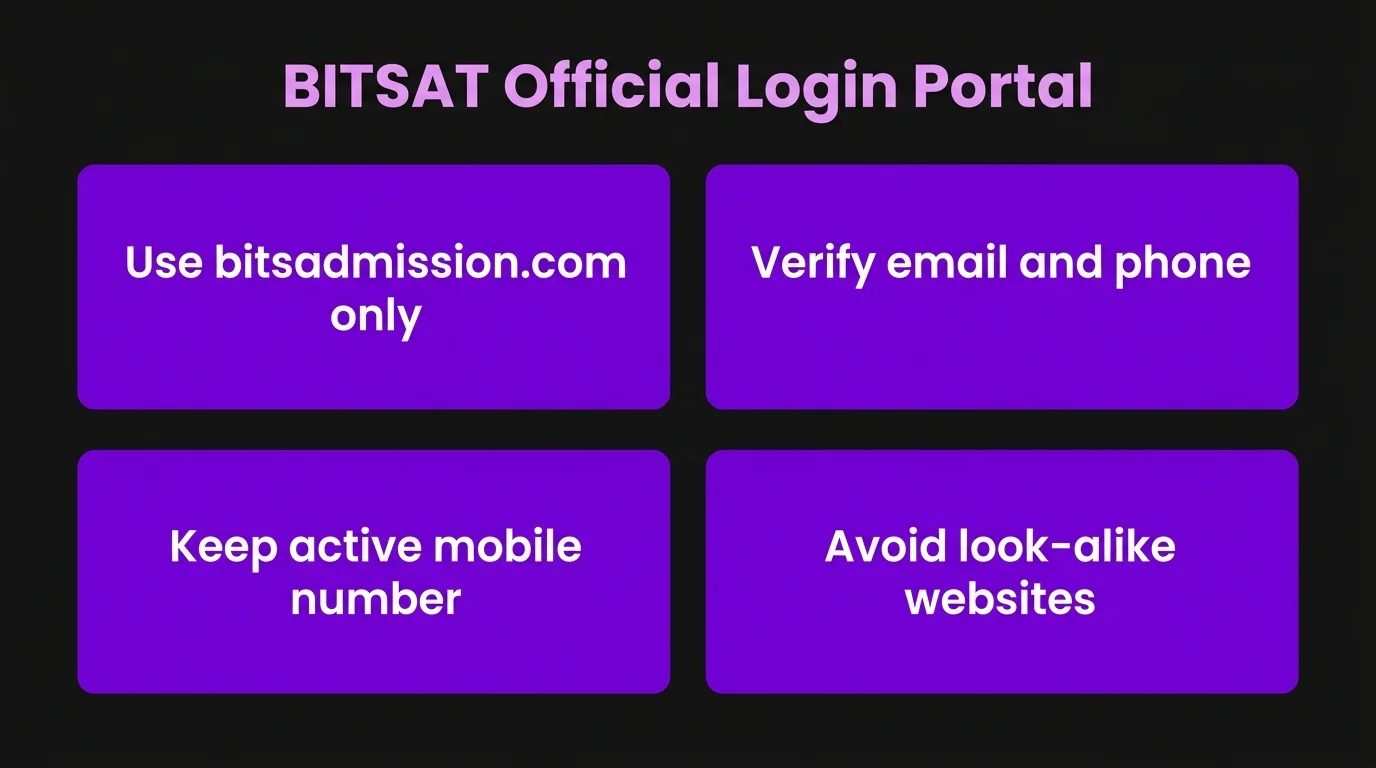
The only legitimate place to register, apply, and check your status is the official website: bitsadmission.com . Every year, dozens of look-alike websites pop up, confusing students. Navigating the bitsat login dashboard requires you to have your primary email and phone number verified.
How to Register for BITSAT 2027 (Step-by-step)
Before you can log in, you need to generate your credentials by registering. Here is how you do it without making errors:
- Visit the Official Website: Go to bitsadmission.com .
- Find the Registration Link: Click on "Apply for BITSAT-2026" on the homepage.
- Read the Instructions: Check the BITSAT Eligibility Criteria thoroughly before proceeding.
- New Registration: Click on "New Registration".
- Enter Basic Details: Input your name (exactly as it appears on your 12th mark sheet), gender, date of birth, email ID, and mobile number.
- Submit and Verify: Once submitted, you will receive an Application Number on your registered email and phone.
We see this pattern again and again: students misspell their own names or enter an incorrect date of birth during this initial phase. While BITS allows a correction window, correcting fundamental details like your name is often a massive headache and sometimes impossible.
Have your 10th and 12th-grade mark sheets or Aadhaar card physically in front of you while typing out your details. Double-check every letter before hitting submit.
BITSAT Login Process (Detailed steps)
Once registered, you will need to access your dashboard multiple times throughout the year. The actual bitsat login steps are straightforward, but doing them methodically saves time.
- Go to the Portal: Navigate to the candidate login page on bitsadmission.com .
- Enter Credentials: Type in your Application Number and Password.
- Captcha: Carefully enter the security captcha code.
- Submit: Click the login button to access your dashboard.
We’ve seen students rely on their browser's autofill feature, which sometimes inputs an old or incorrect password, leading to multiple failed attempts and temporary account locks.
Actionable Takeaway: Write down your Application Number and Password in a physical notebook dedicated to your entrance exams. Do not rely solely on digital autofill.
How to Retrieve Forgotten BITSAT Login Password
It happens to the best of us. The exam pressure mounts, and suddenly your mind goes blank on your password. If you find yourself locked out of your bitsat login account, do not panic. The retrieval process is automated and simple.
- Click on the "Forgot Password" or "Forgot Application Number" link on the login page.
- You will be prompted to enter your registered Mobile Number, Email ID, and Date of Birth.
- Submit these details, and your password/application number will be sent to your registered email and phone.
If you forget your password, use the official retrieval tool immediately. Never create a second application with different email IDs, as it violates the exam guidelines and can lead to disqualification.
BITSAT Admit Card Login & Download
Your admit card (hall ticket) is your entry pass to the exam center. You cannot get it through the mail; you must download it via the bitsat login window.
- Log in using your Application Number and Password.
- Click on the tab that says "Download Admit Card".
- Verify all details (Name, Photograph, Signature, Exam Center, Date, and Slot).
- Download and print at least two copies.
We focus on this heavily at Phodu Club: always check the details on your admit card the minute you download it. We once worked with a student whose photograph printed as a blank black box due to a server error. Because he checked it weeks in advance, he had time to email the admissions office and get it resolved.
Once your admit card is downloaded, it’s time to stop random studying and switch to full-length mocks. We highly recommend Phodu Club's Ultimate BITSAT Test Series , which includes 20 full-syllabus mock tests with the exact BITSAT interface, bonus sections, and detailed solutions. (Short on time? We also offer a Starter BITSAT Test Series with 15 mocks to get you exam-ready).
Actionable Takeaway: Print your BITSAT Admit Card in color as soon as it is released. Keep one copy in your study desk and hand the other copy to a parent or guardian for safe-keeping.
Common Issues & Solutions for BITSAT Login
Even with the right credentials, technical glitches happen. Here are the most common issues our students face and how we tell them to fix them:
- Server Timeout/Page Crash: This usually happens on the last day of registration or the day results are announced.
- Solution: Try logging in during off-peak hours (like early morning or late night).
- Invalid Captcha Error: The captcha is case-sensitive and can sometimes expire if you stay on the page too long.
- Solution: Refresh the page to get a new captcha before typing your details.
- "Invalid Credentials" despite being correct: This is often a browser cache issue.
- Solution: Clear your browser cookies/cache or try opening the portal in Incognito/Private browsing mode.
What we focus on first is keeping students calm. A technical error on the portal does not mean your application is rejected. It just means the servers are overloaded. Always use a desktop or laptop with a stable internet connection for important actions like slot booking or fee payment. Avoid doing this on your mobile phone on a spotty cellular network.
How to Apply via BITSAT Login Portal
Registering is just step one. Applying involves filling out the extensive form inside your bitsat login profile.
- Fill Personal & Academic Details: Enter your parents' names, your address, and your 12th board details (PCM or PCB).
- Choose Exam Centers: You will be asked to select three preferences for your exam center. Choose wisely based on distance and travel logistics.
- Upload Documents: You need to upload a scanned photograph (50 to 100 KB) and your signature (10 to 50 KB) in JPEG/JPG format.
- Pay the Application Fee: The BITSAT Application Form fee must be paid online via Credit/Debit card, UPI, or Net Banking.
Most students miss this: they compress their photos using random online tools that ruin the clarity. If your photo is blurry, your admit card might be withheld.
Actionable Takeaway: Keep standard, well-lit passport photos scanned and resized properly on your computer before you even start the application process.
BITSAT Exam Pattern & Preparation Tips
Knowing how to log in is logistics; knowing how to clear the exam is strategy. At Phodu Club, we believe in complete clarity on the paper pattern.
Strategic Preparation Insights from Phodu Club:
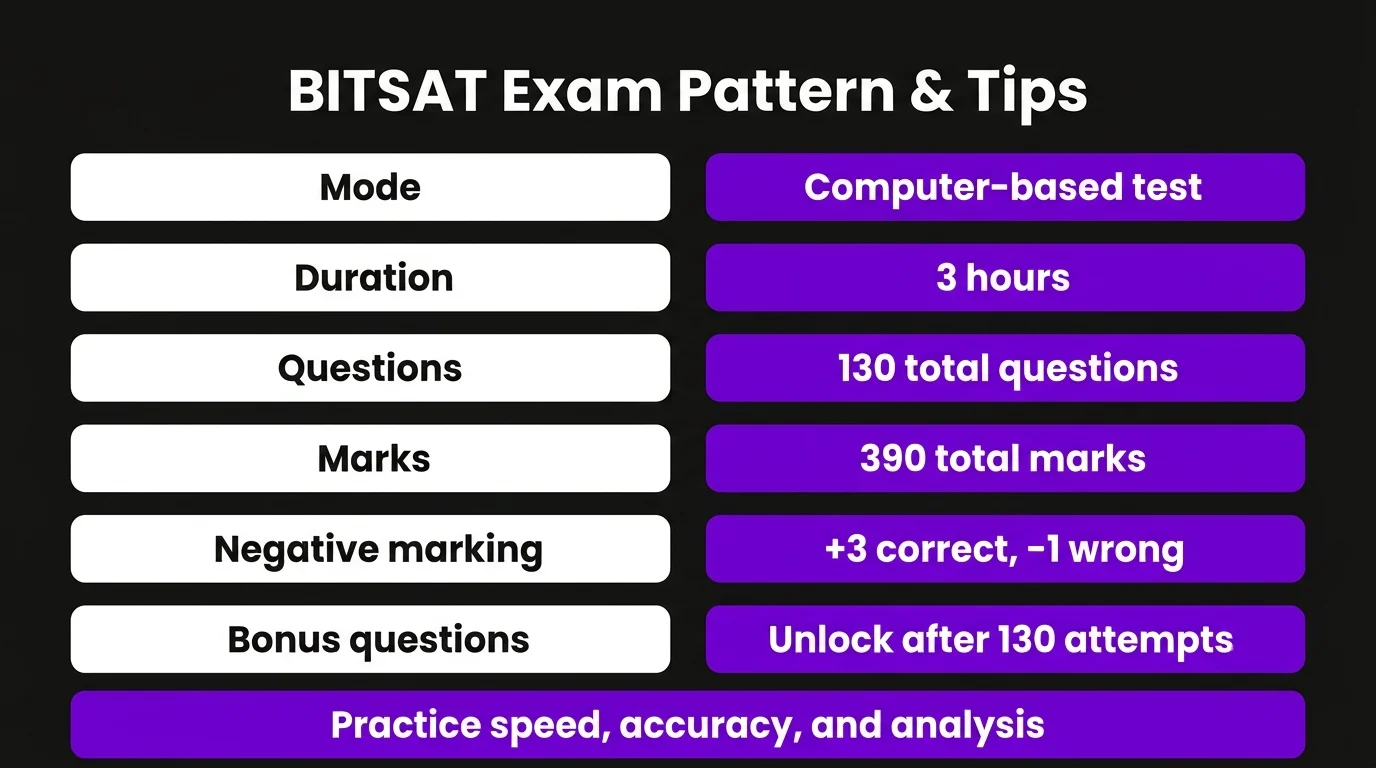
- The Speed Game: 130 questions in 180 minutes means you have roughly 1.38 minutes per question. You cannot afford to get stuck. To help you master this speed, we created the Phodu BITSAT Question Bank . It features handpicked, BITSAT-relevant chapter-wise questions and includes unique tips and tricks at the bottom of each page to help you solve faster.
- English & Logical Reasoning: This is the game-changer. Most JEE students ignore this section. Those 30 questions (90 marks) are highly scoring if you practice. We help our students stay consistent with our Free Daily Practice, providing 5 questions of English and LR every day right after JEE Main.
- Negative Marking: +3 for correct, -1 for incorrect. Guessing blindly will destroy your score.
- Bonus Questions: If you finish all 130 questions, you unlock 12 bonus questions. Only attempt this if you are highly accurate with the first 130.
We built Phodu Club to fix this exact problem: students study the right concepts but apply the wrong exam strategy. If you need structured guidance, our Phodu Club's Ultimate BITSAT Crash Course is built to break your score plateau. It includes 1-1.5 hour PCM lectures, live Phodu Solving Sessions (PSS), DPPs, chapter-wise tests, 20 mocks, 8 PYQs as mocks, and our complete English & LR course. You also get exclusive mentorship from BITSians. Best of all? We offer a 100% course fee refund if you score 300+ in BITSAT.
Actionable Takeaway: Take at least one full-length mock test every week starting three months before the exam. Analyze it for two hours: find out why you got questions wrong, not just what the right answer was.
Conclusion
Navigating the administrative side of exams, including registration and downloading your admit card, should be the easiest part of your journey. Keep your credentials safe, follow the deadlines rigorously, and don't leave things for the last minute.
However, we’ve worked with enough students to know this: effort alone doesn’t fix your score. The right strategy does. Spending hours studying theory won't help if your mock scores are stuck at 180. That’s exactly what we focus on at Phodu Club. We help you transition from studying hard to preparing smart. Whether it's through our free Ultimate Revision Notes, our BITSAT Crash Course , or our specialized test series, we are here to help you fix your strategy and get the score you actually deserve.
Frequently Asked Questions (FAQ)
1) When does the official registration portal open for BITSAT?
Historically, the portal opens in the middle of January for Session 1. You should actively monitor the official website or follow our updates to know exactly when to start your bitsat login process.
2) How can I reset my password if I lose it?
Go to the official portal and click on the "Forgot Password" link. Enter your registered mobile number, email ID, and Date of Birth to receive a reset link or your current password via SMS/Email.
3) What is the application fee for BITSAT?
The fee varies based on whether you apply for one session or both, and your gender. Typically, applying for both sessions costs around ₹5600 for male candidates and ₹4500 for female candidates (based on recent trends), but always verify the exact amount in the current year's brochure.
4) Should I apply for Session 1, Session 2, or both?
We strongly advise our students to apply for both sessions. It acts as a safety net. If you have a bad day during Session 1 or face technical glitches at the center, Session 2 is your immediate backup without losing a year.
5) How early should I download my admit card?
Download your admit card the very day it is released. Do not wait until the day before the exam. This gives you time to check for any discrepancies in your name, photo, or center allocation.
6) Can I change my exam center after submitting the application?
BITS Pilani provides an application correction window (usually in April) where you can change your city preferences. However, once the final center is allotted and the admit card is generated, you cannot change it under any circumstances.
7) How do I check my iteration results for admission?
All admission offers, waitlists, and iteration announcements are communicated directly through the bitsat login page. You must log in using your application number on the specific dates mentioned in the official schedule to check your status and pay fees.
8) How does Phodu Club help with BITSAT preparation?
At Phodu Club, we focus on strategy and mentorship. We know that getting through the bitsat login steps is just the beginning. We help students who are stuck in score plateaus by analyzing their mock tests, fixing their speed vs. accuracy balance, and providing targeted crash courses and test series to ensure they are exam-ready.
Want to crack your exam with mentors who did?
Get test series, crash courses and free mentorship from students at IITs, NITs and BITS.